Venue Admin
Administrative operations for venue operators — pause trading, update configuration, and manage your venue from the OddMaki App.
The venue operator (the address that called createVenue) has exclusive administrative control over the venue. This role is immutable — there is no function to transfer venue ownership.
Where to administer a venue
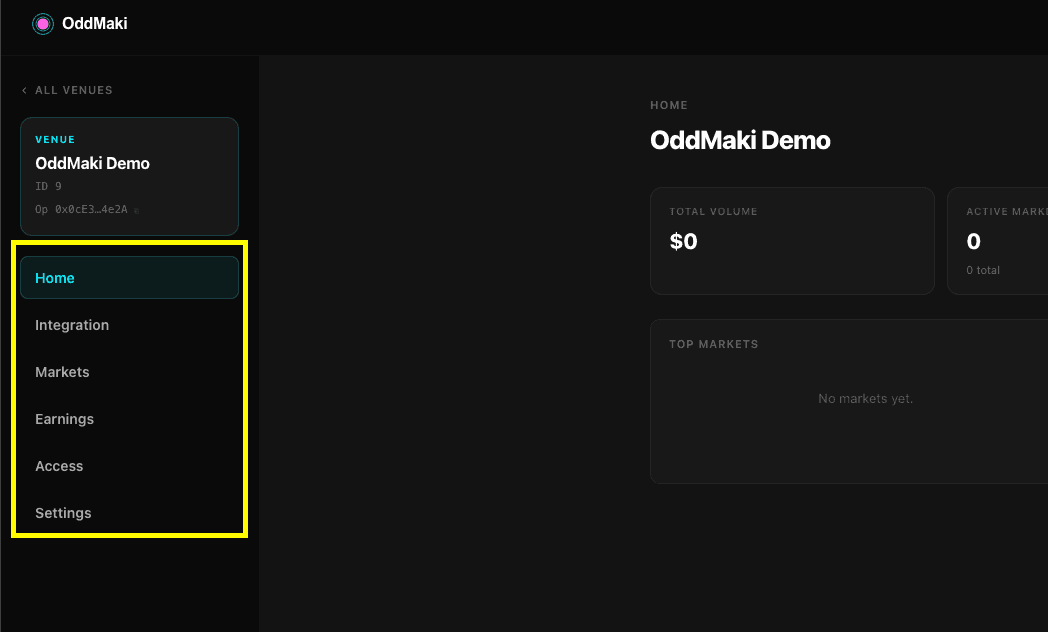
Drive everything from the OddMaki App. Open your venue's dashboard and use the Settings, Access, Markets, Earnings, and Integration tabs. Venue-level admin is not in the Venue Starter — that's your branded trading frontend, not the operator console.
For automation, every flow below also has an SDK equivalent.
| Tab | What it does |
|---|---|
| Settings | Fees, oracle params, status (pause/unpause), info |
| Access | Trading and creation gates, whitelist management |
| Markets | List markets, create new ones, per-market admin (pause, tags, metadata) |
| Earnings | Fee revenue, recipient address, withdraw flows |
| Integration | Venue ID, env-var snippets to wire up the Venue Starter, subgraph IDs |
Pausing and Unpausing
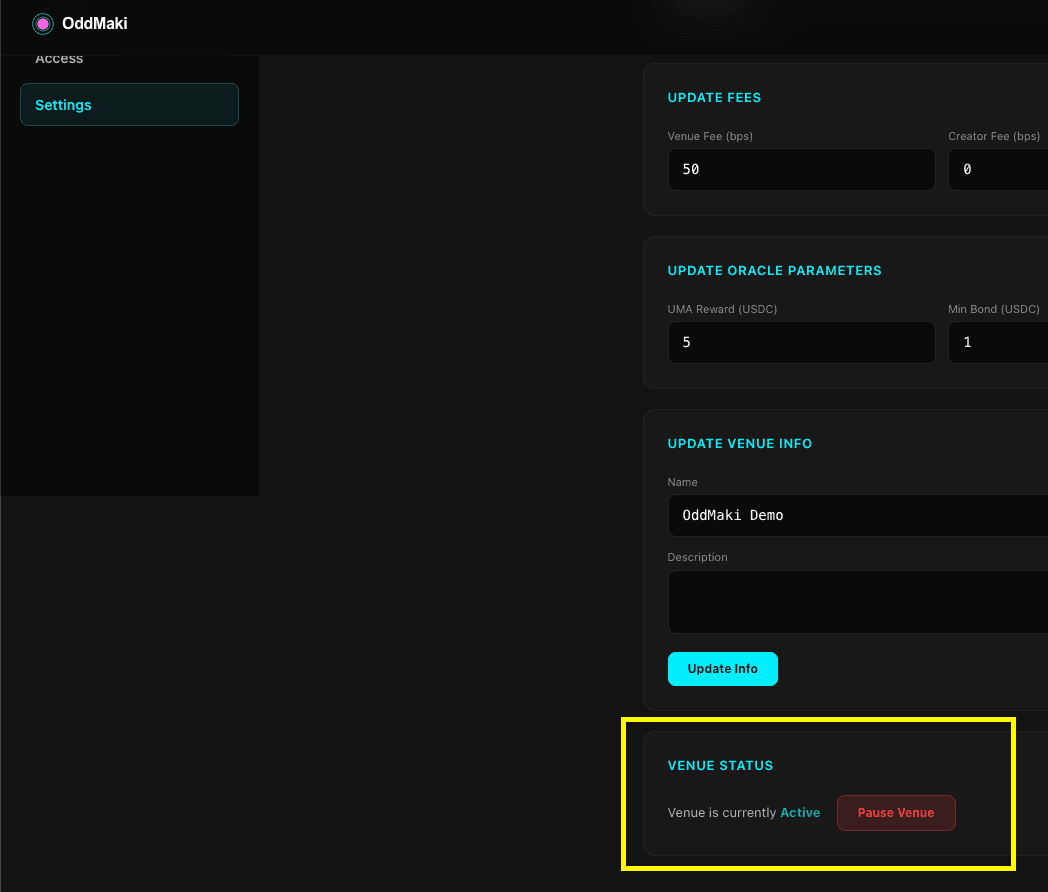
Pause a venue to halt all trading and market creation. Existing orders remain on the book but cannot be matched or filled.
OddMaki App: Settings → Status and toggle the switch.
SDK:
// Pause
const tx = await client.venue.setPaused(1n, true);

// Unpause
const tx = await client.venue.setPaused(1n, false);
Pausing is scoped to individual venues — there is no global protocol pause. Use this for emergency situations or maintenance.
Pause vs. Suspend
Two distinct controls exist:
- Pause (venue operator) — self-service on/off switch, the operator can pause and unpause at will
- Suspend (protocol owner) — a protocol-level lock on a venue; only the protocol owner can un-suspend
Suspend is reserved for protocol emergencies and is not something a venue operator controls.
Updating Venue Configuration
Fees
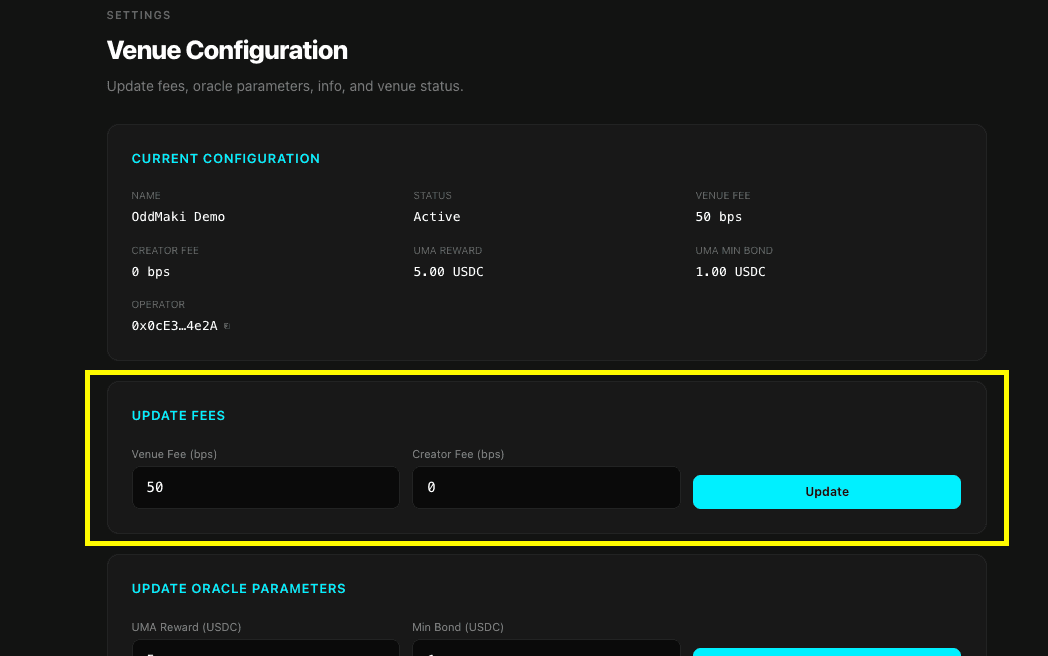
Update trading fee tiers at any time. Changes take effect immediately for all subsequent trades.
OddMaki App: Settings → Fees — enter the new venue fee (bps) and creator fee (bps), then Save.
SDK:
const tx = await client.venue.updateFees({
  venueId: 1n,
  venueFeeBps: 150,    // 1.50%
  creatorFeeBps: 50,   // 0.50% (carved from venue fee)
});
Constraints:
venueFeeBpsmust be between 1 and 200creatorFeeBpsmust be ≤venueFeeBps
Market Creation Fee
The market creation fee defaults to 0 and is updatable any time (it used to be set at creation and immutable; that's no longer the case).
OddMaki App: Settings → Fees → Market creation fee.
SDK:
import { parseUnits } from 'viem';

await client.venue.updateMarketCreationFee({
  venueId: 1n,
  newFee: parseUnits('10', 6), // 10 USDC, or 0n for free creation
});
Venue Details and Access Control
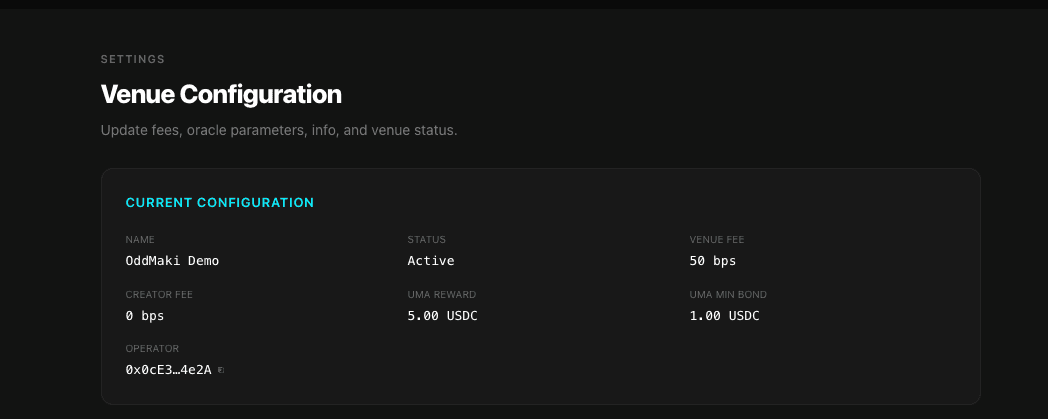
Update the venue name, metadata, access control gates, and fee recipient.
OddMaki App:
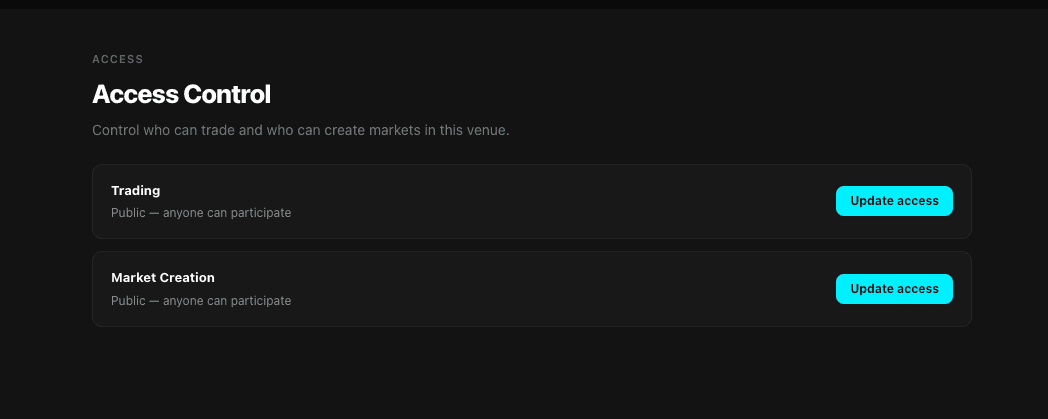
- Settings → Info — name and metadata URI (the app uploads the description to IPFS and writes the resulting URI as the venue
metadatafield). - Access — view the current trading and creation gates, swap them, deploy new gates, or manage a whitelist inline.
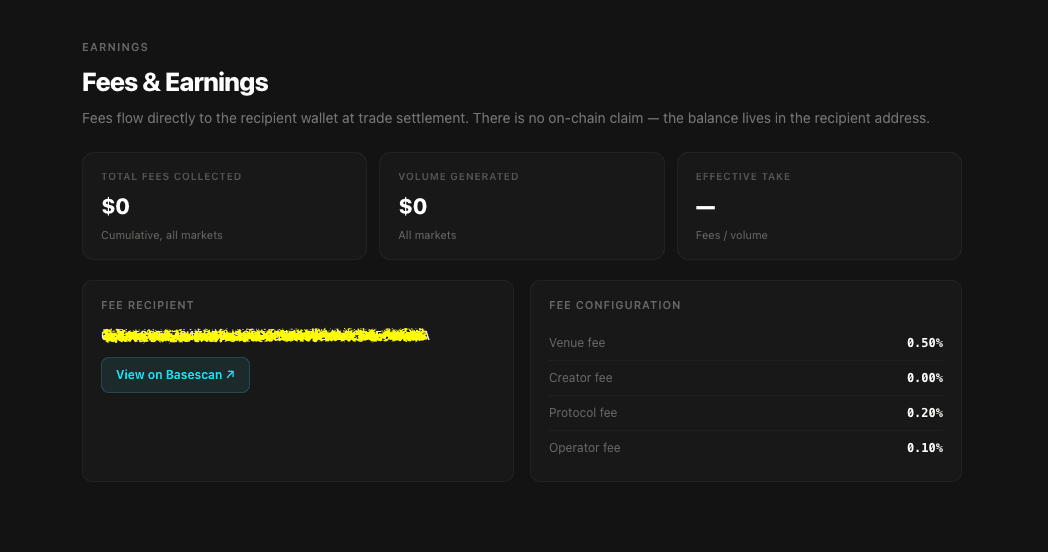
- Earnings → Fee recipient — change the address that receives fees and the venue share of market creation fees.
SDK:
const hash = await client.venue.updateVenue({
  venueId: 1n,
  name: 'Updated Venue Name',
  metadata: '{"category": "sports"}',
  tradingAccessControl: tradingAccessControl,   // address or 0x0 for open
  creationAccessControl: creationAccessControl, // address or 0x0 for open
  feeRecipient: feeRecipient,                   // cannot be zero address
});
Oracle Parameters
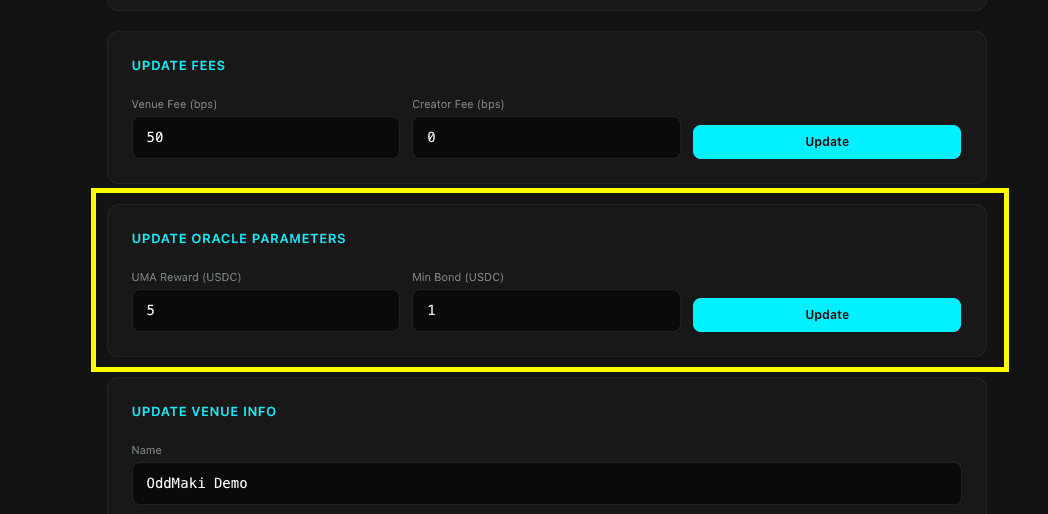
Update the UMA reward and minimum bond for future markets.
OddMaki App: Settings → Oracle — enter the new reward and min bond (in USDC), then Save.
SDK:
const hash = await client.venue.updateOracleParams({
  venueId: 1n,
  umaRewardAmount: parseUnits('10', 6),   // 10 USDC
  umaMinBond: parseUnits('5', 6),          // 5 USDC
});
Pause Individual Markets
You can also pause and unpause individual markets on your venue.
OddMaki App: open the market from the Markets tab → market settings → Pause / Resume.
SDK:
await client.market.pauseMarket(marketId);
await client.market.unpauseMarket(marketId);
Market Tags and Metadata
Tags and metadata URIs for markets and groups are event-only (not stored onchain, indexed by the subgraph). Only the market creator or venue operator can update them.
Venue Starter: on a market page, the creator or venue operator can edit tags and the market image from the per-market settings sheet — the starter uploads the image to IPFS and writes the resulting URI as the market's metadata.
SDK:
await client.market.updateMarketTags({ marketId: 1n, tags: ['sports'] });
await client.market.updateMarketMetadata({ marketId: 1n, metadataURI: 'ipfs://…' });
await client.market.updateMarketGroupTags({ marketGroupId: 1n, tags: ['elections'] });
await client.market.updateMarketGroupMetadata({ marketGroupId: 1n, metadataURI: 'ipfs://…' });
Editing market tags from the OddMaki App is on the roadmap but not yet shipped — use the Venue Starter or the SDK in the meantime.
What Can't Be Changed
| Parameter | Updatable |
|---|---|
| Operator (owner) | No |
defaultTickSize | No |
marketCreationFee | Yes (updateMarketCreationFee — was previously immutable) |
Reading Venue Data
Read the complete venue configuration onchain:
const venue = await client.venue.getVenue(venueId);Returns the full VenueData struct including fees, oracle params, access control addresses, and active status. The OddMaki App's Settings tab surfaces all of this for you.
What's Next
- Fee Structure → — understand fee tiers and calculation
- Access Control → — gate who can trade and create markets
- Oracle Settings → — configure UMA resolution parameters