Create Your First Market
Launch your first market from the OddMaki App — we walk through a Pyth price market end-to-end, the easiest type to start with. Binary and market groups use the same wizard.
Your venue and app are live. Now create your first market. The OddMaki App walks you through picking a market type and filling in the question, outcomes, and trading parameters — no code required.
Start with a price market
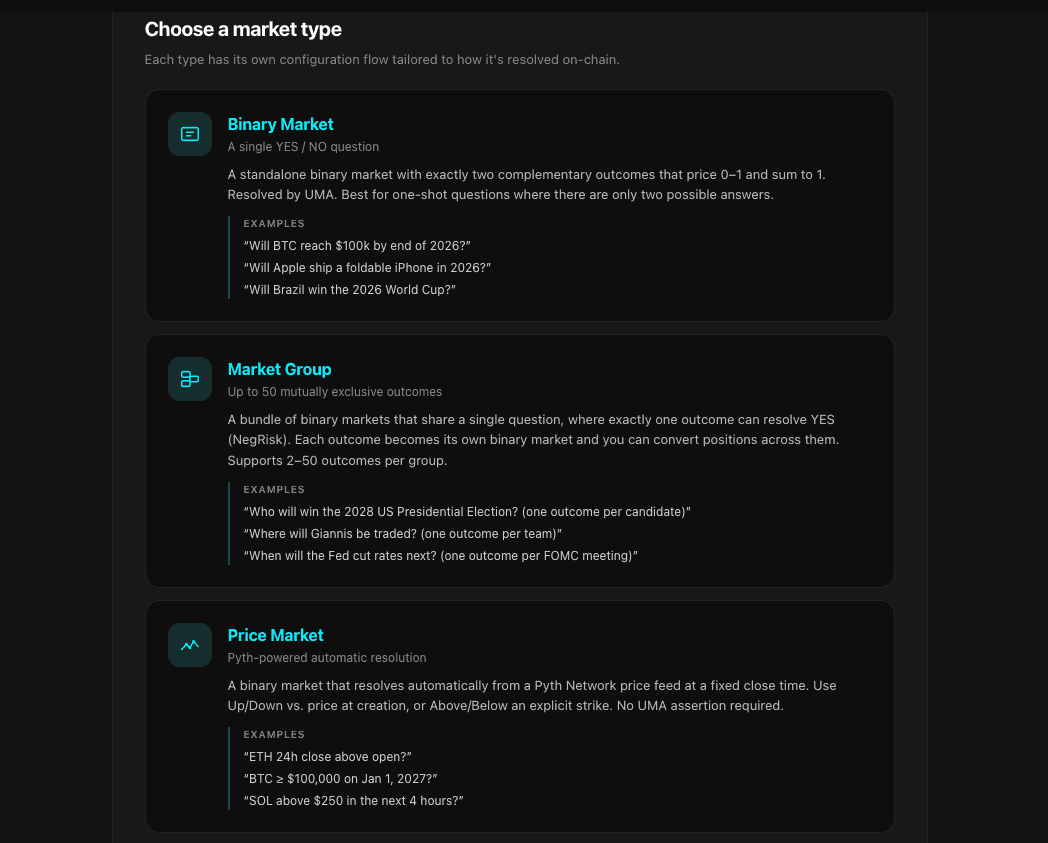
OddMaki supports three market types. They all share the same orderbook, outcome tokens, and fee stack — what differs is how many outcomes the market represents and how it resolves.
| Type | Outcomes | Resolves via | Best for |
|---|---|---|---|
| Price Market ⭐ | 2 (YES / NO) | Pyth | Up/Down or ≥ Strike on a price feed, auto-resolved — no bond, no reward, no dispute window |
| Binary | 2 (YES / NO) | UMA | Standalone discretionary questions — "Will X happen?" |
| Market Group | N (2–50) mutually exclusive | UMA + NegRisk cascade | "Which of these?" — elections, tournaments, championships |
We recommend starting with a Pyth price market. It's the lowest-friction market to launch and resolve: no UMA bond or reward to fund, no liveness window, no human asserter — once the close time passes, anyone calls resolvePyth and the historical Pyth price settles it. Perfect for a first run on Sepolia or your fresh mainnet venue. For deeper trade-offs, see Market Types.
Walkthrough — Create a Pyth price market from the OddMaki App
This is the primary, maintained flow. Binary markets and market groups use the exact same wizard with different fields — see Creating Markets for those.
- Go to app.oddmaki.com and connect the wallet that owns (or is allowed to create on) your venue.
- Open your venue: Venues → your venue in the top nav.
- Click the Markets tab on the venue dashboard, then Create market (top right).
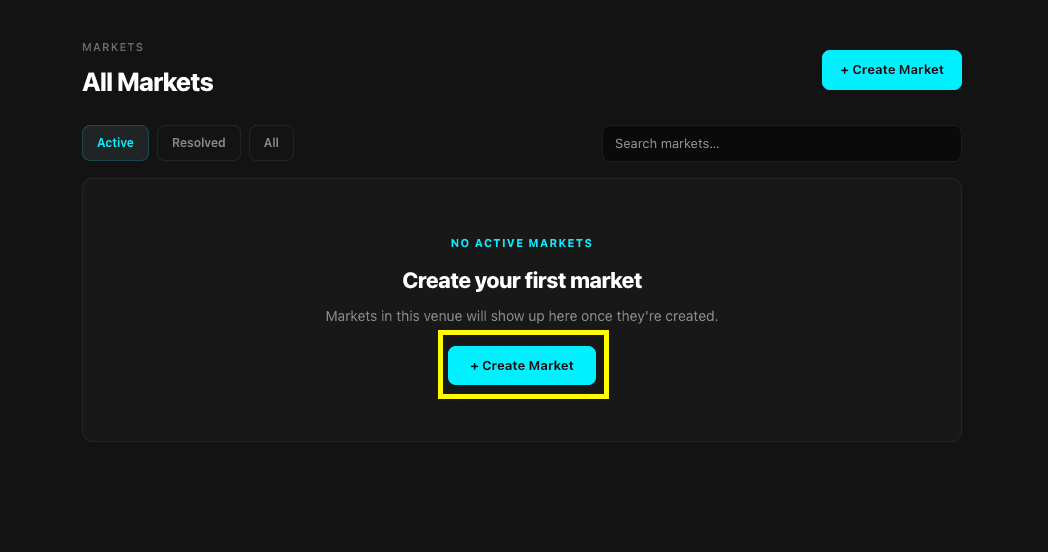
- Step 1 — Pick a market type. Select Price Market. Each tile explains when to use the type.
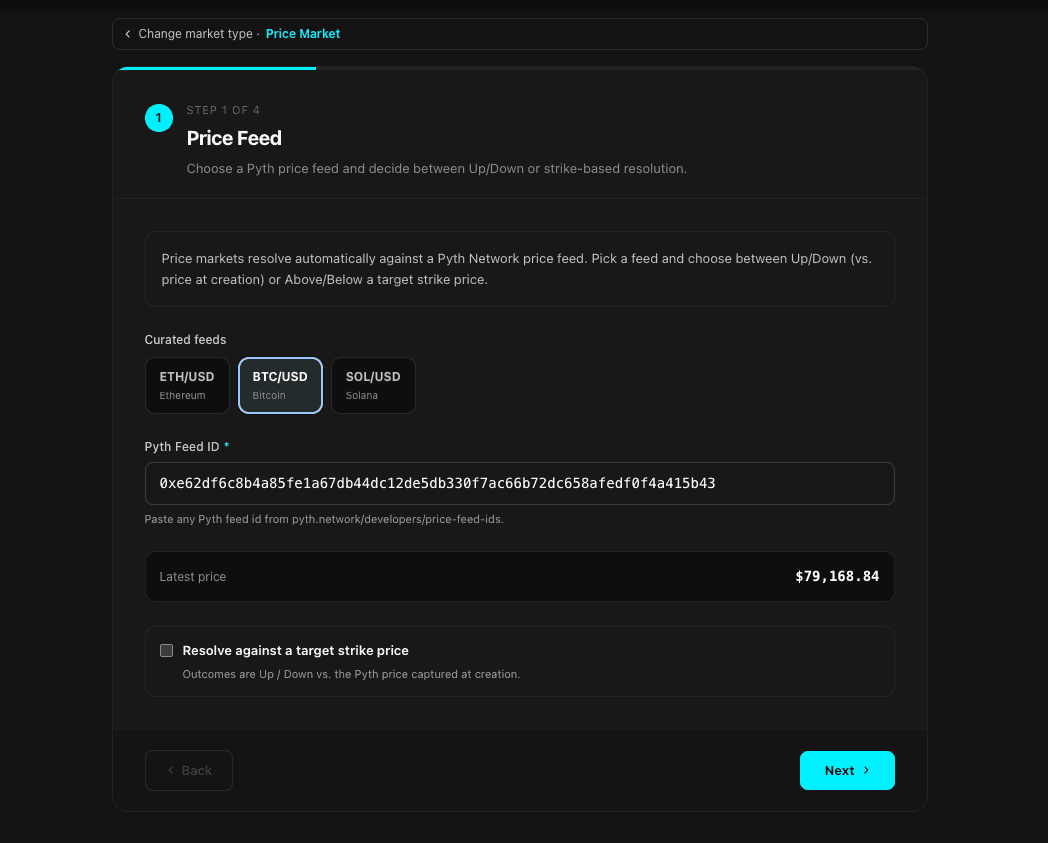
- Step 2 — Pick the Pyth feed and mode. The wizard shows a handful of curated feeds (BTC/USD, ETH/USD, etc.) — these are a starter set. Pyth ships hundreds of feeds across crypto, FX, equities, and commodities; paste any feed ID from the Pyth price feed catalog into the Pyth Feed ID field to use it. Then pick the resolution mode: Up/Down resolves YES if the close price is higher than the price captured at openTime; Strike lets you set an explicit target price.
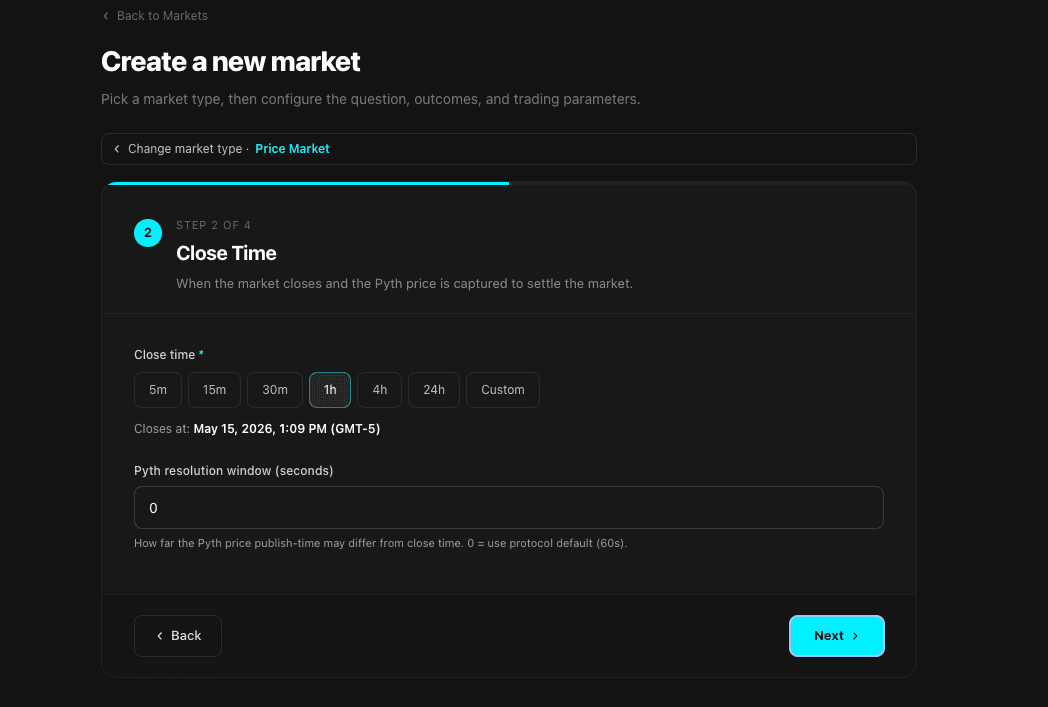
- Step 3 — Open and close time. Pick when the market opens (either immediate — captured at tx-mine time — or scheduled to a future datetime) and when it closes. The protocol only requires
closeTime > openTime— no five-minute minimum, no 24-hour maximum.
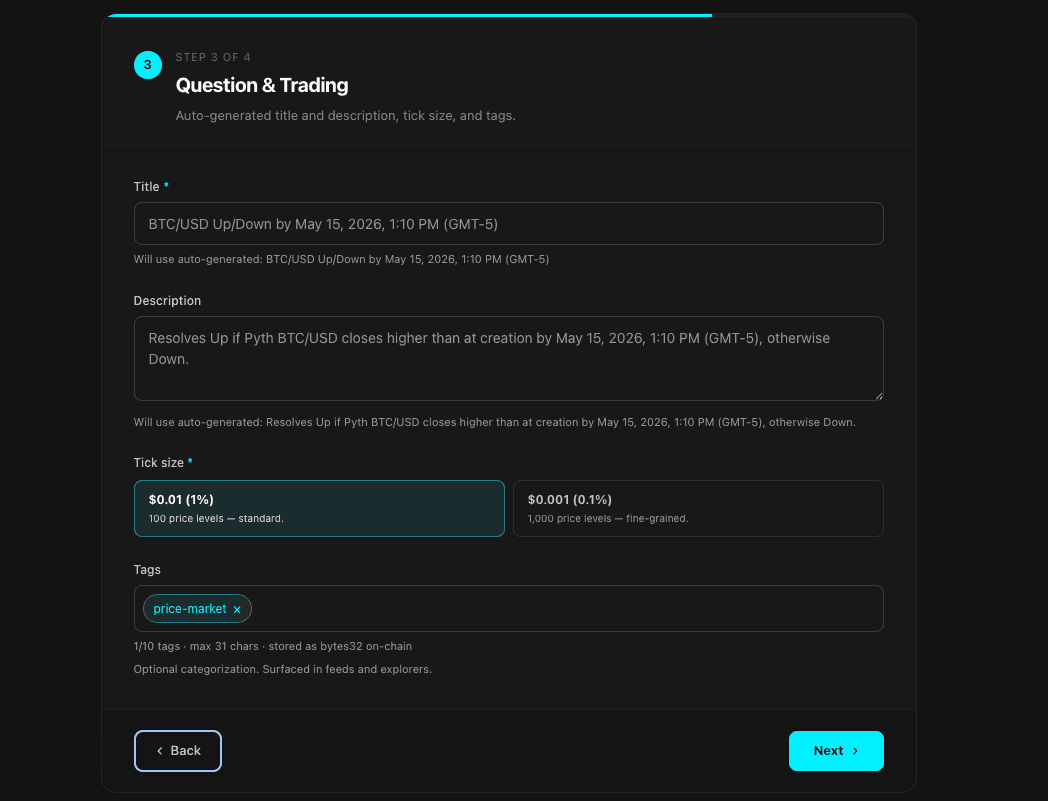
- Step 4 — Question metadata. Add the title, description, tick size, and optional tags. The title and description are what traders see on the market card and market page.
- Review the transaction (price-market creation is non-payable — no ETH for Pyth fees; just gas + the venue's USDC creation fee if set), confirm in your wallet, and you land on the new market page.
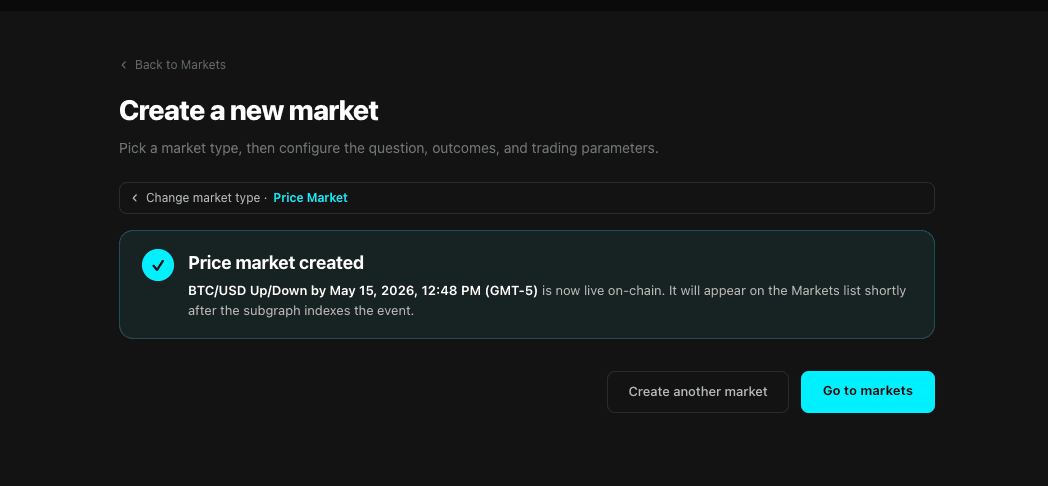
That's it. After closeTime passes, anyone — including you — can call Resolve on the market page (or client.priceMarket.resolvePyth(marketId)) to settle it from the Pyth historical price. No bond, no reward, no dispute window.
Same wizard, different market type
The OddMaki App wizard is identical for the other two types — pick Binary or Market Group in Step 1 and the configuration step swaps in the right fields (question + resolution criteria for binary; question + outcomes for groups). Both resolve via UMA, so you'll fund the venue's UMA reward at creation and an asserter will bond + assert the outcome later. Full parameters are in Creating Markets.
Alternative — Create a market from the Venue Starter
Your Venue Starter deployment also exposes a Create market button on the market grid for any wallet that's allowed to create on your venue (the button is hidden otherwise — the starter calls useCanCreateMarket against the venue's creationAccessControl to decide). It uses the same in-page wizard as the OddMaki App.
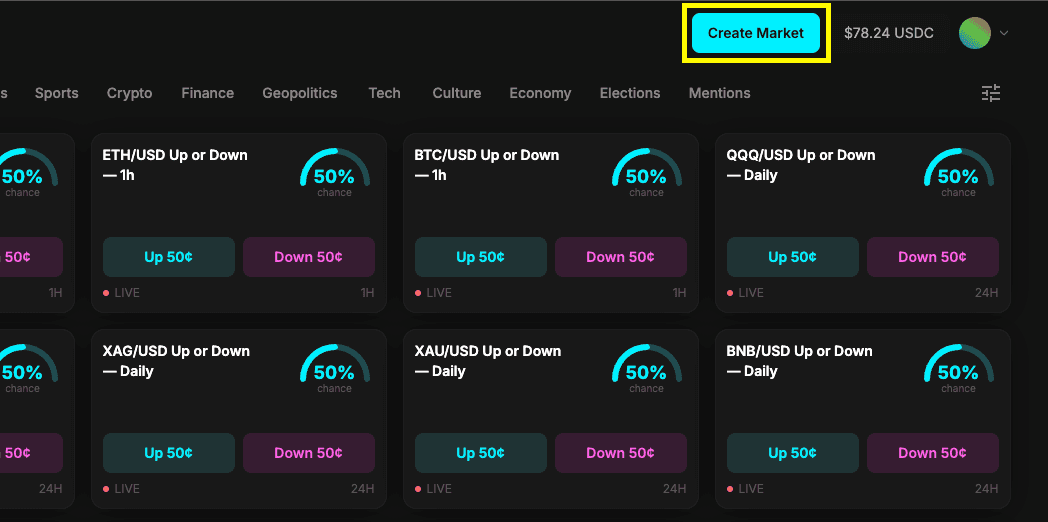
Use the Venue Starter button when end users with creator access are operating on the venue itself. Use the OddMaki App for your own operator-driven market creation — it's where we maintain the richest version of the wizard.
SDK fallback (automation only)
If you're scripting market creation — bulk imports, CI/CD, market-maker bots — the SDK exposes the same calls. Most operators won't need this; the UI flows above cover the day-to-day.
// Binary market
const tx = await client.market.createMarket({
  venueId: 1n,
  question: {
    title: 'Will ETH hit $10,000 by Dec 31, 2026?',
    description:
      'Resolves YES if ETH/USD exceeds $10,000 on Coinbase, Binance, or Kraken at any point before 2026-12-31.',
  },
  outcomes: ['Yes', 'No'],
  tickSize: parseEther('0.01'),
  collateralToken: USDC_ADDRESS,
  additionalReward: 0n,
  liveness: 0n,             // 0 → uses venue default (2 hours minimum)
});
// Pyth price market — immediate Up/Down, scheduled Up/Down, or explicit strike
const tx = await client.priceMarket.createPyth({
venueId: 1n,
pythFeedId: '0xe62df6c8b4a85fe1a67db44dc12de5db330f7ac66b72dc658afedf0f4a415b43', // BTC/USD
closeTime: BigInt(Math.floor(Date.now() / 1000) + 3600), // +1h
tickSize: parseEther('0.01'),
collateralToken: USDC_ADDRESS,
question: {
title: 'BTC Up/Down for the next hour?',
description: 'Resolves Up if Pyth BTC/USD at the close timestamp is higher than at creation.',
},
// openTime: 0n, // 0 = immediate; > now = scheduled
// strikePrice: 0n, // 0 = Up/Down; > 0 = Explicit Strike
});// Market group (create → add outcomes → activate)
await client.market.createMarketGroup({
venueId: 1n,
question: 'Who will win the 2027 NBA Finals?',
description: 'Resolves YES for the championship-winning team.',
collateralToken: USDC_ADDRESS,
tickSize: parseEther('0.01'),
additionalReward: 0n,
});
await client.market.addMarketToGroup({ marketGroupId: 1n, marketName: 'Boston Celtics', marketQuestion: 'Will the Celtics win the 2027 NBA Finals?' });
await client.market.addMarketToGroup({ marketGroupId: 1n, marketName: 'Denver Nuggets', marketQuestion: 'Will the Nuggets win the 2027 NBA Finals?' });
await client.market.activateMarketGroup({ marketGroupId: 1n });If your venue's marketCreationFee is non-zero (it defaults to 0), the SDK pulls it from your wallet via transferFrom — approve USDC to the Diamond before calling.
For per-parameter detail, see Creating Markets and Market Types. For the Pyth-specific lifecycle, see Price Markets.
Market is live
Once the transaction confirms — regardless of which path you used — traders can:
- Place limit orders at any tick between 1¢ and 99¢
- Buy YES if they think the outcome is likely
- Buy NO if they think it's unlikely
- Orders match through the onchain CLOB via Normal Fill, Mint-to-Fill, or Merge-to-Fill
- Makers pay no fees; takers pay the full fee stack — see Fees
What's Next
You now have a live prediction market platform with your own venue, your own domain, and your first market accepting trades.
From here:
- Create more markets — binary, grouped, and price market parameters in full
- Configure your fee structure to optimize revenue
- Set up access control to gate trading or creation
- Understand resolution for both UMA and Pyth paths
- Batch operations for market makers and quoting bots
Deploy the App
Fork the Venue Starter repository, configure environment variables, and deploy your prediction market frontend.
Venues
A venue is your onchain prediction-market platform — its own fee schedule, access rules, oracle settings, and earnings recipient. This section covers everything venue-level.