Creating Markets
How to create binary markets, market groups, and Pyth price markets — UI flows in the OddMaki App and the Venue Starter, plus SDK reference.
Markets are created within a venue. You need your venue ID (and USDC only if your venue's marketCreationFee is non-zero — it defaults to 0).
Three ways to create a market
| Path | When to use |
|---|---|
| OddMaki App (app.oddmaki.com → your venue → Markets → Create market) | Recommended. Guided wizard for all three market types. The maintained surface. |
| Venue Starter | The white-label app shows Create market to wallets whose address is allowed by creationAccessControl (checked via useCanCreateMarket). Good for end-user market creators on a public venue. |
SDK (@oddmaki-protocol/sdk) | Scripted bulk creation, CI/CD, market-maker bots, custom UIs. |
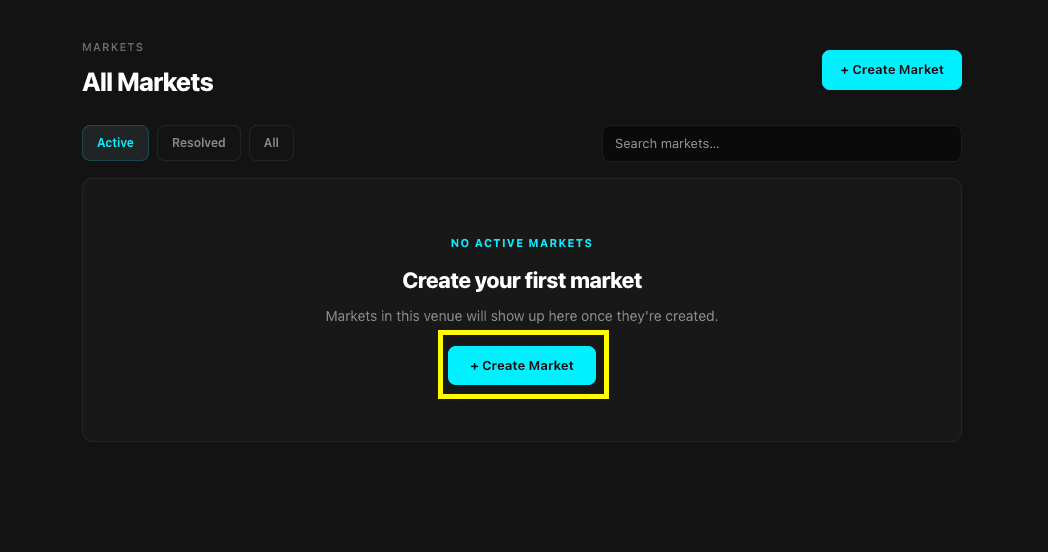
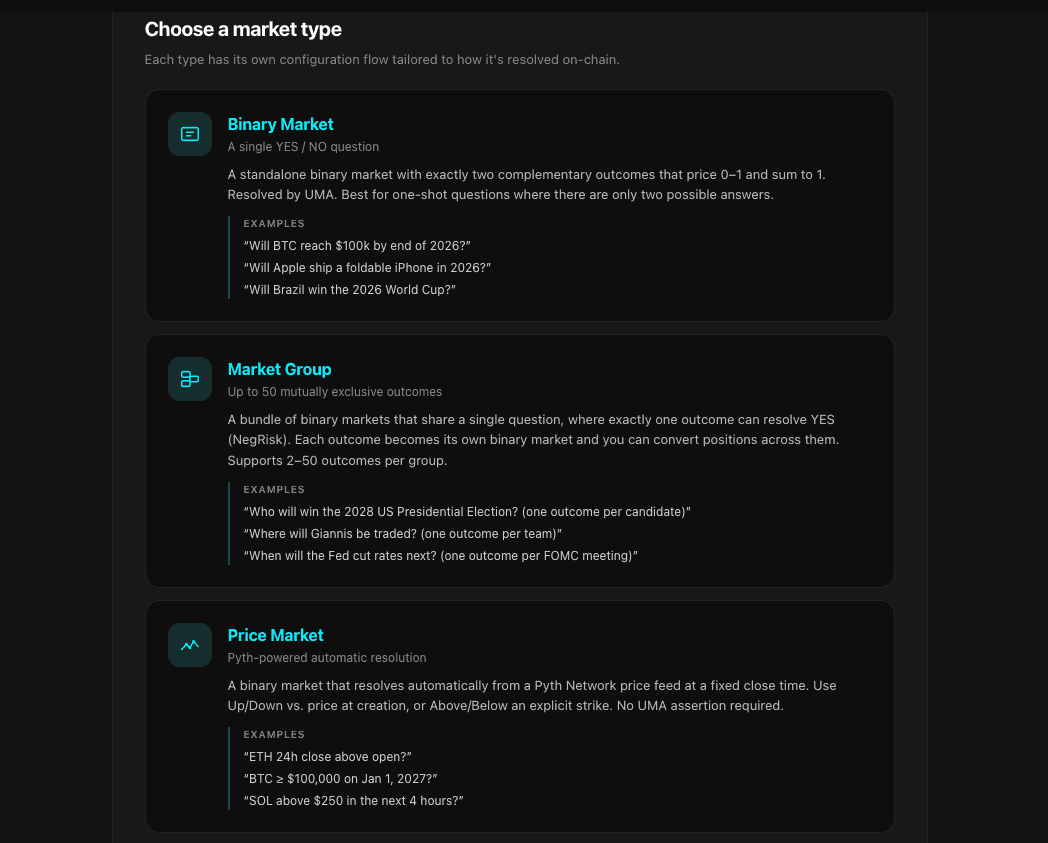
The wizard then swaps in the right configuration step for the type you picked. For a complete end-to-end walkthrough (Pyth price market — the easiest type to start with), see Create Your First Market.
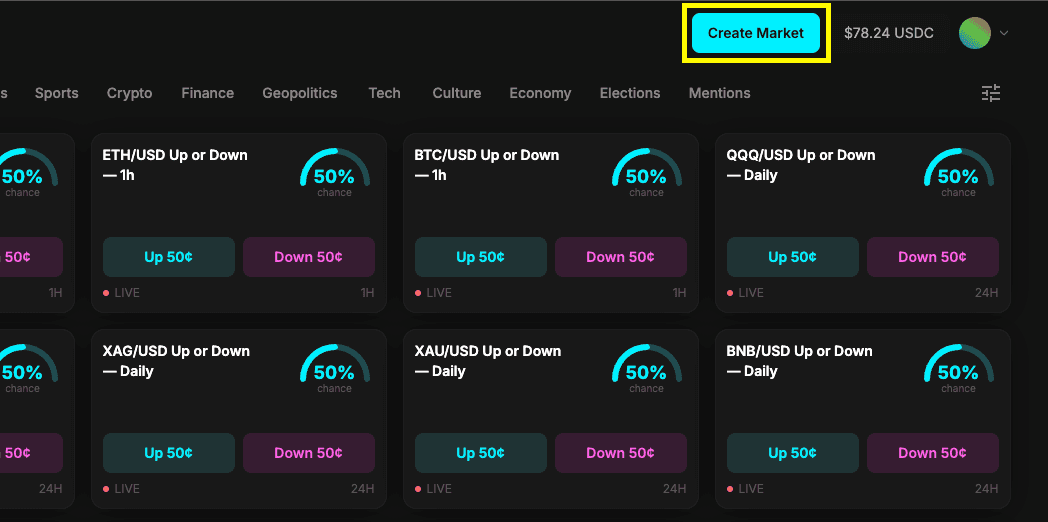
All three paths call the same Diamond functions and pay the same marketCreationFee. The SDK snippets below are the canonical reference; the OddMaki App and Venue Starter wizards collect the same inputs.
Creating a Binary Market
A binary market is a single YES/NO question. It goes live immediately on creation.
const tx = await client.market.createMarket({
  venueId: 1n,
  question: {
    title: 'Will BTC reach $100k by end of 2026?',
    description: 'Resolves YES if Bitcoin reaches $100,000 USD on any major exchange before January 1, 2027.',
  },
  outcomes: ['Yes', 'No'],
  tickSize: parseEther('0.01'),       // $0.01 price increments
  collateralToken: USDC_ADDRESS,
  additionalReward: 0n,              // no extra UMA reward
  liveness: 0n,                      // defaults to 2 hours
});
What happens onchain:
- Validates parameters and access control
- Allocates a market ID (auto-incrementing from 1)
- Enriches the question data with market metadata
- Generates a deterministic
questionIdandconditionId - Prepares the CTF condition and computes YES/NO position IDs
- Collects the market creation fee (50/50 protocol/venue split)
- Emits
MarketCreated
Creating a Market Group
Market groups contain N mutually exclusive outcomes. The lifecycle is: create → add outcomes → activate.
// 1. Create the group
await client.market.createMarketGroup({
  venueId: 1n,
  question: 'Who will win the championship?',
  description: 'Resolves YES for the winning team.',
  collateralToken: USDC_ADDRESS,
  tickSize: parseEther('0.01'),
  additionalReward: 0n,
  liveness: 0n,
});

// 2. Add outcomes (each becomes a binary YES/NO market)
await client.market.addMarketToGroup({
  marketGroupId: 1n,
  marketName: 'Team A',
  marketQuestion: 'Will Team A win?',
});

await client.market.addMarketToGroup({
  marketGroupId: 1n,
  marketName: 'Team B',
  marketQuestion: 'Will Team B win?',
});

// 3. Optionally add placeholder slots for late additions
await client.market.addPlaceholderMarkets({
  marketGroupId: 1n,
  count: 3n,
});

// 4. Activate (locks totalMarkets, enables trading)
await client.market.activateMarketGroup({ marketGroupId: 1n });
Placeholders can be activated later with real names and questions:
await client.market.activatePlaceholder({
  marketGroupId: 1n,
  marketId: 5n,
  marketName: 'Team C',
  marketQuestion: 'Will Team C win?',
});
Writing Good Resolution Criteria
The description field is what UMA asserters and disputors use to determine the outcome. Be specific:
- State the exact condition for YES vs NO
- Include data sources (e.g., "any major exchange", "official results")
- Include deadlines with timezone if applicable
- Avoid ambiguous language
Market Parameters
| Parameter | Description | Constraints |
|---|---|---|
venueId | Which venue to create in | Must exist and be active |
question.title | The market question | Non-empty |
question.description | Resolution criteria | Used by UMA for disputes |
outcomes | Outcome labels | Must be ['Yes', 'No'] for binary |
tickSize | Price increment | Must be > 0. Common: parseEther('0.01') |
collateralToken | Trading collateral | Must be UMA-whitelisted ERC-20 |
additionalReward | Extra UMA asserter reward | Added to venue default. 0 is common |
liveness | UMA challenge period | Minimum 7200s (2 hours), values below are floored |
| Market creation fee | Charged to creator | No minimum (defaults to 0). Set per venue, 50/50 split when non-zero, updatable via updateMarketCreationFee. |
Onchain Mechanics
When the venue's marketCreationFee is non-zero, it's pulled from your wallet via transferFrom — approve USDC to the Diamond before creating. The OddMaki App and Venue Starter wizards include an approval step automatically.
For market groups:
- Only the group creator can add markets and activate
- Maximum 50 markets per group (including placeholders)
- Minimum 2 markets required to activate
totalMarketsis locked at activation — used for NegRisk conversion math- Placeholders reserve position IDs at creation; only the question text changes on activation
Creating a Price Market (Pyth)
Price markets use the priceMarket module and resolve automatically from a Pyth feed at closeTime. A single function covers three shapes — immediate Up/Down, scheduled Up/Down, and explicit-strike — discriminated by openTime and strikePrice:
const tx = await client.priceMarket.createPyth({
  venueId: 1n,
  pythFeedId: '0xe62df6c8b4a85fe1a67db44dc12de5db330f7ac66b72dc658afedf0f4a415b43', // BTC/USD
  closeTime: BigInt(Math.floor(Date.now() / 1000) + 3600), // +1h
  tickSize: parseEther('0.01'),
  collateralToken: USDC_ADDRESS,
  question: {
    title: 'BTC Up/Down for the next hour?',
    description: 'Resolves Up if Pyth BTC/USD at the close timestamp is higher than at creation.',
  },
  // openTime: 0n,             // 0 = immediate (default); > now = scheduled
  // strikePrice: 0n,          // 0 = Up/Down (default); > 0 = Explicit Strike
  // resolutionWindow: 60n,    // Hermes publish-time tolerance (default 60s, max 300s)
  // tags: ['crypto', 'btc'],
});
The call is non-payable — no ETH required. The only onchain cost at creation is the venue's marketCreationFee (if non-zero) in USDC. Creation never touches Pyth — no VAA submission, no Pyth fee. The Pyth update fee is paid later, by whoever calls resolvePyth.
pythFeedId accepts any feed ID from the Pyth price feed catalog — Pyth ships hundreds of crypto, FX, equity, and commodity feeds. Note that off-hours feeds (metals, equities) need a closeTime inside the exchange's publishing window; markets that close in a publishing gap will need to be invalidated via markInvalid after a 7-day grace period.
After closeTime, anyone calls client.priceMarket.resolvePyth(marketId) — no UMA bond or assertion required. For deferred Up/Down markets the SDK fetches the open-window and close-window Hermes VAAs automatically. See Price Markets for the full lifecycle (scheduling, projected-strike display, the markInvalid backstop).
Price-market parameters
| Parameter | Description | Constraints |
|---|---|---|
venueId | Which venue to create in | Must exist and be active |
pythFeedId | Pyth feed bytes32 id | Any feed from the Pyth catalog |
strikePrice | Explicit strike for Above/Below markets, or 0n for Up/Down | ≥ 0; in feed-native units (apply priceExpo) |
openTime | Effective open time. 0n → immediate (set to block.timestamp). > now → scheduled | If non-zero, must be strictly in the future when the tx mines |
closeTime | Absolute close timestamp | Must be strictly after the effective open time. No protocol-imposed min/max duration |
outcomes | Outcome labels | Defaults to ['Up','Down']; commonly ['Above','Below'] for strike markets |
tickSize | Price increment | Use parseEther('0.01') for 1% ticks or parseEther('0.001') for fine ticks |
collateralToken | Trading collateral | Must be whitelisted |
resolutionWindow | Hermes publish-time tolerance (seconds) around open and close | ≤ 300; 0 uses the protocol default of 60s |
tags | Optional tags for the market | Up to 5 per market |
Tags and Metadata
Markets support optional tags (up to 5 per market) and a metadata URI (typically IPFS) for images, extended descriptions, or structured fields consumed by the frontend. These are event-only — they are not stored onchain, but they're indexed by the subgraph.
Venue Starter: on a market page, the creator or venue operator can edit tags and the market image from the per-market settings sheet — the starter uploads the image to IPFS and writes the resulting URI as the market's metadata.
SDK:
await client.market.updateMarketTags({ marketId: 1n, tags: ['sports', 'nba'] });
await client.market.updateMarketMetadata({ marketId: 1n, metadataURI: 'ipfs://…' });

// Equivalent methods exist for market groups:
await client.market.updateMarketGroupTags({ marketGroupId: 1n, tags: ['elections'] });
await client.market.updateMarketGroupMetadata({ marketGroupId: 1n, metadataURI: 'ipfs://…' });
Only the market creator (or venue operator) can update these.
Editing market tags from the OddMaki App is on the roadmap but not yet shipped — use the Venue Starter or the SDK in the meantime.
What's Next
- Resolution → — how markets reach a final outcome
- Market Types → — binary, groups, and price markets
- Price Markets → — Pyth integration details
- Oracle Settings → — configure bond, reward, and liveness